Network Performance
Bandwidth, latency, and headroom for what's next.
Bandwidth, latency, and headroom for what's next.
By Tom Gambino, VP of Sales Engineering

Most of the network performance problems I get pulled into have already run through the standard fixes. Teams tuned what they own. Added bandwidth, sometimes twice. Things stabilized for a while, but then growth resumed and the problem came back. By the time I’m in the room, the team is frustrated, the business is impatient and everyone is looking at the applications, the monitoring setup or the vendor.
Know what I’ve found after twenty years of these conversations? The team may not be looking in the right place.
Application slowdowns, latency spikes and dropped calls during peak hours are all symptoms of a performance problem. Your team has probably tuned what you own and added bandwidth on top of it. Both moves have worked before. But something else entirely could be driving these issues.
If you’re seeing the same issues at the same locations on the same schedule, after every bandwidth upgrade, you’re seeing a pattern that bandwidth upgrades don’t fix.
Field note:
I talked to a network architect last year at a large health system with multiple locations. They’d tuned QoS policies twice and had been through two bandwidth upgrades in 18 months. Each fix bought about six more months. Then growth resumed and the problems came back.
When I asked what changed in the architecture between fixes, the answer was: nothing. Same paths, same workloads competing for them, just tighter policy and more headroom each time. They were teed up for a third bandwidth upgrade when we talked. I hear that story a lot.
What many teams miss is where the fix may actually live.
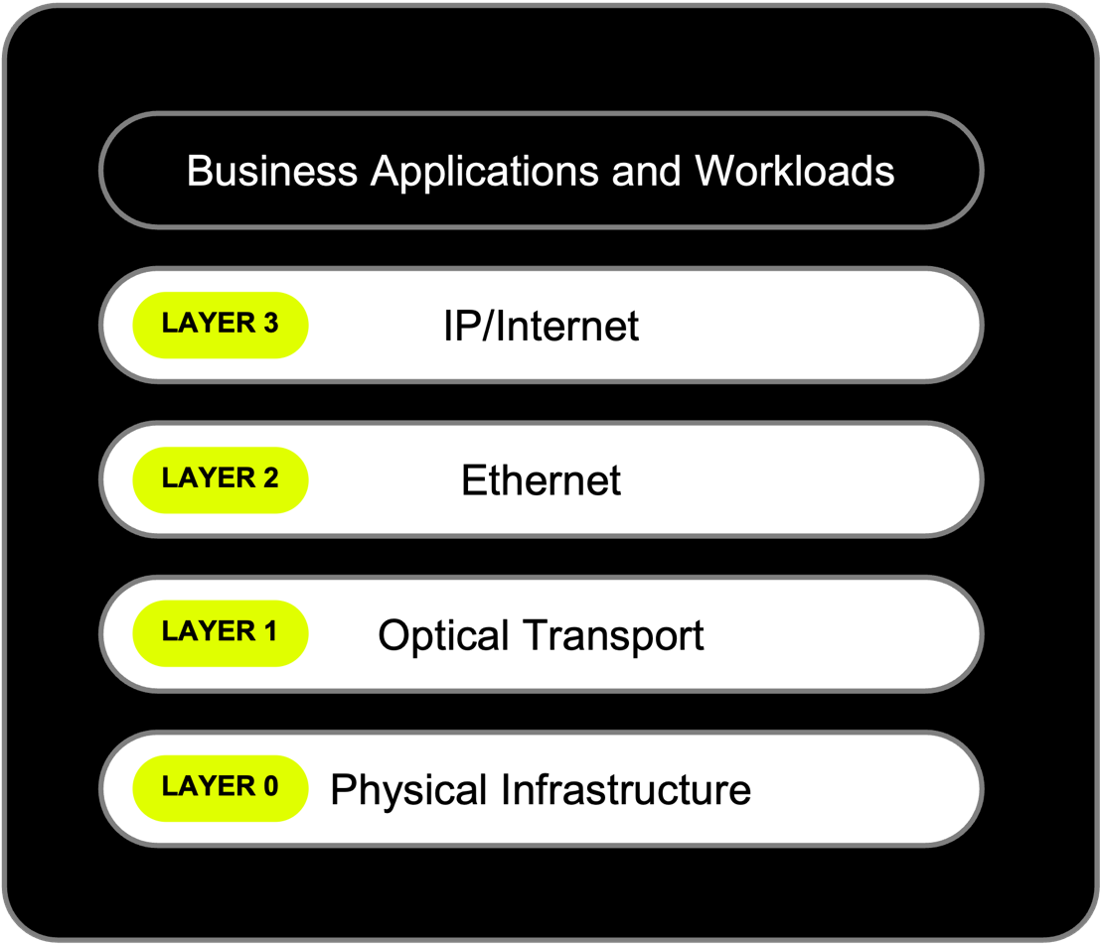
In networking, contention shows up at Layer 2 and Layer 3, the switching and routing layers, where multiple workloads compete for the same aggregated capacity on a shared MPLS or IP backbone. That’s where the symptoms surface. That’s also where every standard fix operates.
QoS, SD-WAN, traffic shaping, application prioritization — the tools that live above the transport do what they’re supposed to do inside their scope. They mark traffic, prioritize what matters and route around congestion in the shared environment. But when your organization has outgrown what any of them can do alone, tighter policy stops holding.
Here’s why. Prioritization only helps until every workload becomes priority. Shaping only helps until the pipe itself is the constraint. QoS decides who gets bandwidth first, not how much bandwidth exists. When enough workloads want first place at the same moment, the ranking stops mattering. Every packet is important, but there’s still only so much pipe.
That’s the ceiling. And it doesn’t show up on the dashboard.
A circuit running at 40% average utilization across the business day looks fine on the dashboard. But that same circuit can hit full saturation for 20 minutes every morning when backups, video meetings, application sync and AI inference jobs all fire at once on the same path. The window clears, utilization drops and the daily average never shows you what your users just lived through.
Each of those workloads passed individual validation, but none of them is the problem on its own. Per-workload review doesn’t test what happens when all of them peak at once on shared infrastructure. That’s a scope gap. Concurrent peak behavior is a different measurement, and it’s the one this class of problem lives in.
You don’t need new tools to know if this describes your environment. The clues are already there.
When those fixes stop holding, the next conversation is about which layer the fix should live at. Sometimes it’s tighter policy at Layer 2 or Layer 3, or a different tool in the same layer. Sometimes it’s moving critical workloads onto their own capacity at Layer 2. Sometimes it’s a dedicated wavelength at Layer 1 or dedicated fiber at Layer 0 for the workloads that shouldn’t share transport at all.
So, how do you diagnose where the fix should live? The first step is to understand how your critical workloads behave together under peak demand. Take two minutes to complete this five-question checklist to see if three or more apply to your situation. If they do, you’ll get four diagnostic questions worth taking back to your team.
Take the assessment: 5 Signs Your Network Has a Contention Problem (2 min)